Summer is the season for travel – whether you’re heading to the beach, attending a conference, or working remotely from a new destination. While you’re packing your passport and sunglasses, don’t forget about something just as valuable: your digital security.
Cybercriminals don’t take holidays. Airports, hotels, cafés, and public Wi-Fi networks provide attractive opportunities for attackers looking to compromise devices or steal sensitive information. Fortunately, a few simple precautions can significantly reduce your risk.
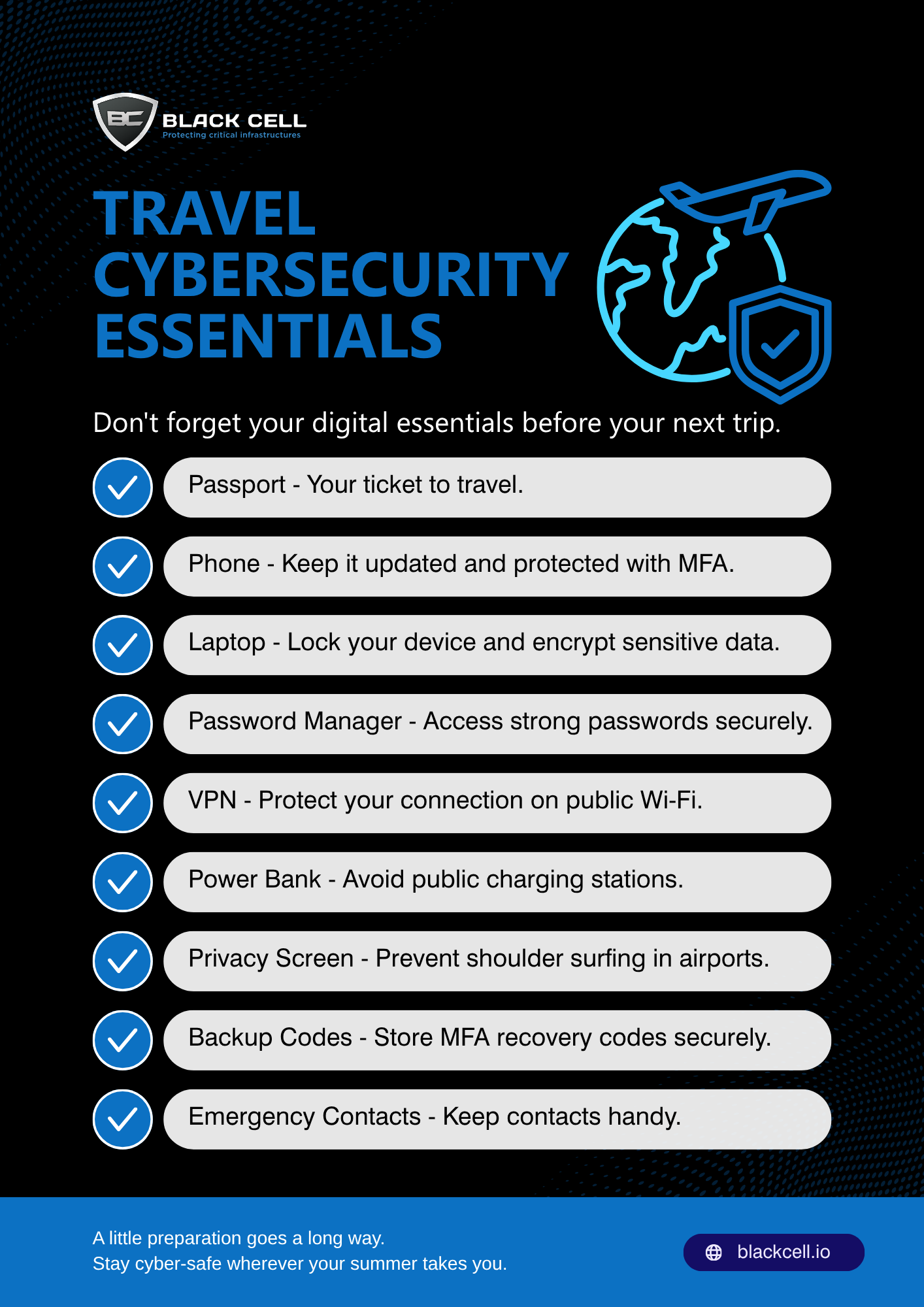
Your Travel Cybersecurity Essentials
Phone
Your smartphone likely contains emails, banking apps, authentication codes, and personal information. Before traveling, install the latest security updates, enable biometric authentication, and make sure multi-factor authentication (MFA) is activated for your important accounts.
Laptop
Whether you’re working remotely or simply checking emails, your laptop should be protected with full-disk encryption, a strong password, and automatic screen locking. Avoid leaving it unattended in public places, even for a few minutes.
Password Manager
Using unique, complex passwords for every account is nearly impossible without help. A password manager securely stores your credentials and reduces the risk of password reuse—one of the most common causes of account compromise.
VPN
Public Wi-Fi networks are convenient, but they can also expose your online activity. A reputable Virtual Private Network (VPN) encrypts your internet connection, helping protect sensitive information when you’re connected outside trusted networks.
Power Bank
Running out of battery can leave you unable to access boarding passes, maps, or MFA codes. Carrying your own power bank also reduces the need to rely on unfamiliar USB charging stations, which may pose security risks.
Privacy Screen
Airports, trains, and cafés are common places for “shoulder surfing,” where someone nearby can view confidential information displayed on your screen. A privacy screen helps protect sensitive business or personal data from prying eyes.
Backup Codes
If you lose your phone while traveling, accessing accounts protected by MFA can become difficult. Store recovery or backup codes securely before your trip so you can regain access if needed.
Emergency Contacts
Save important contacts, including your organization’s IT or security team if you’re traveling for work. Knowing who to call can make all the difference if a device is lost, stolen, or compromised.
Additional Tips for Safe Travel
Beyond your digital essentials, keep these best practices in mind:
- Keep your operating systems and applications up to date before departure.
- Avoid connecting to unknown or unsecured Wi-Fi networks whenever possible.
- Disable Bluetooth and Wi-Fi when you’re not using them.
- Be cautious when charging devices in public locations – use your own charger and power bank whenever possible.
- Think twice before posting your live location or travel plans on social media.
- Back up important files before you leave so you can recover quickly if a device is lost or damaged.
Stay Secure Wherever You Go
Travel should be about creating memories – not dealing with compromised accounts or stolen data. By taking a few simple precautions before your trip, you can significantly reduce your cyber risk and enjoy your travels with greater peace of mind.
This summer, don’t just pack your passport – pack good cybersecurity habits too.
Author

Tibor Luter
SOC DIRECTOR
Related Posts
Think Like an Attacker: Spot the Security Risks
Wi-Fi password posted on the wall ("Office-WiFi / Password: Office123!") Unattended laptop left...

The Extension Threat Vector: Protecting Browsers and Dev Environments?
If your organization doesn’t manage extensions and your users can freely install any browser and...
