Last December, Microsoft announced that Microsoft 365 E3 and E5 customers will receive additional AI, security, and endpoint management capabilities at no additional cost:
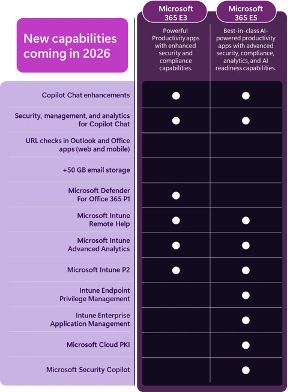
These enhancements are expected to become available during 2026, and we have already seen them activated in several customer tenants since July! If your organization is eligible, check the Microsoft 365 admin Message Center or your Intune portal to confirm whether Microsoft has enabled these benefits for your tenant.
Here is a brief overview of the new Intune capabilities that were previously exclusive to the Intune Suite add-ons, now available without any additional cost:
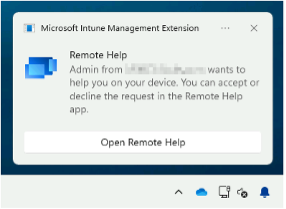
Deliver Remote Support Natively with Intune Remote Help
Providing effective technical support to end users remains a critical requirement for IT teams. Microsoft Intune Remote Help addresses this need by enabling secure remote assistance across Windows, macOS, and Android devices.
The solution offers functionality similar to traditional remote support tools such as TeamViewer or AnyDesk while being fully integrated into the Microsoft management platform. This allows organizations to streamline support operations while maintaining centralized administration and governance:

Enhanced Visibility with Intune Advanced Analytics
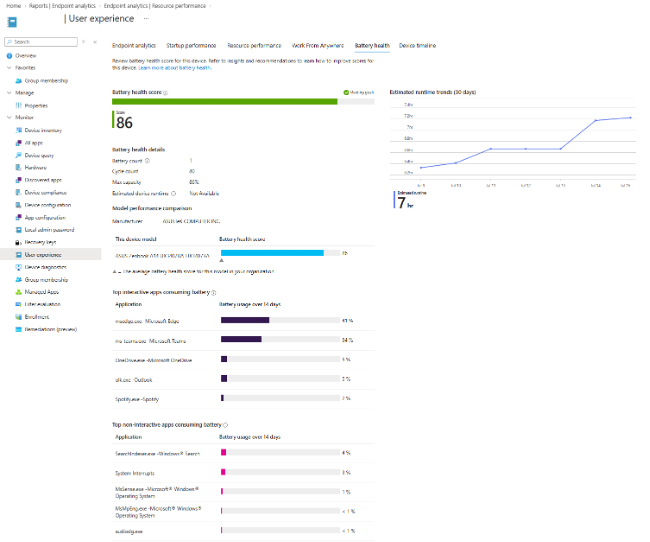
Microsoft is also expanding the capabilities of Endpoint Analytics through Intune Advanced Analytics. The enhanced reporting and troubleshooting experience is designed to provide deeper insights into device health, user experience, and system performance across the organization.
New reports include:
- Resource Performance Report
- Battery Health Report
- Anomalies Report
- Device Scopes for more flexible analysis and segmentation
Individual device views are also being enhanced with:
- Battery Health insights
- Device Timeline reporting
- Resource Performance data
- Device Query capabilities
In addition, administrators will be able to execute Device Query operations across multiple devices directly within the Intune admin center, simplifying investigations and accelerating troubleshooting activities.
Reduce Local Administrator Risk with Endpoint Privilege Management
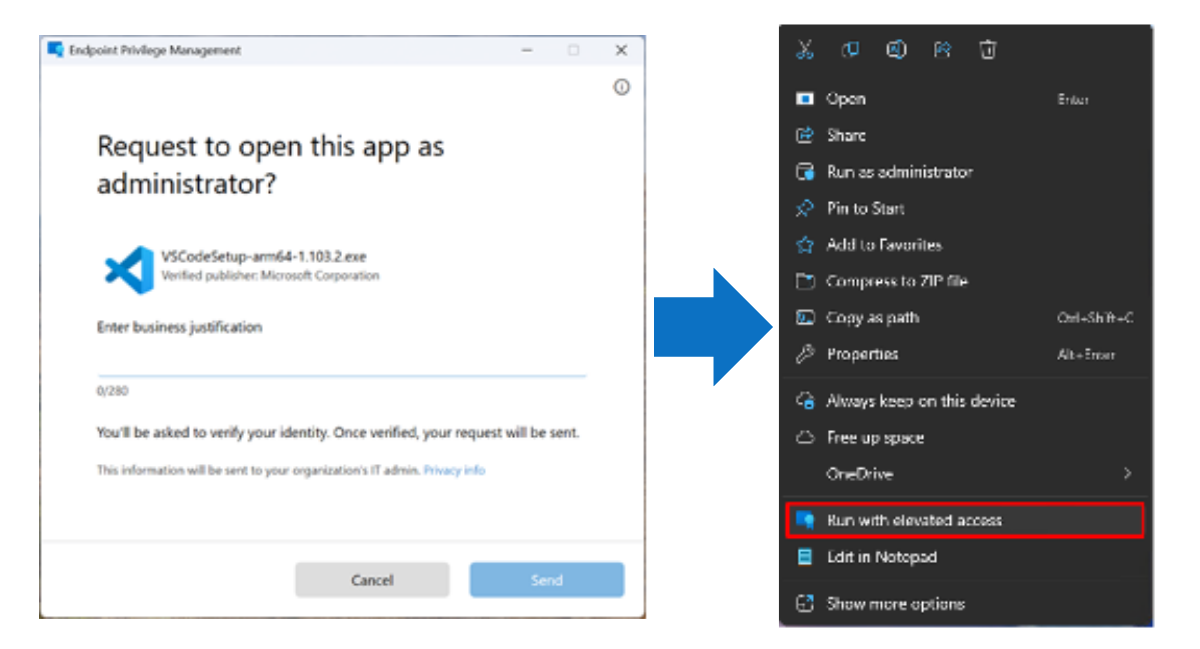
Managing privileged access has long been a challenge for IT and security teams. Intune Endpoint Privilege Management (EPM) introduces a more secure way of providing elevated access when necessary, without granting users permanent local administrator rights.
With EPM, designated applications can run with elevated privileges while users continue operating as standard users. This approach helps organizations maintain strong security controls while reducing operational friction for employees.
For example, this feature can be particularly useful when a user needs administrative permissions to install or run an application that is not yet available through established software deployment channels such as Company Portal or software catalogs.
Simplifying Application Deployment with Enterprise Application Management
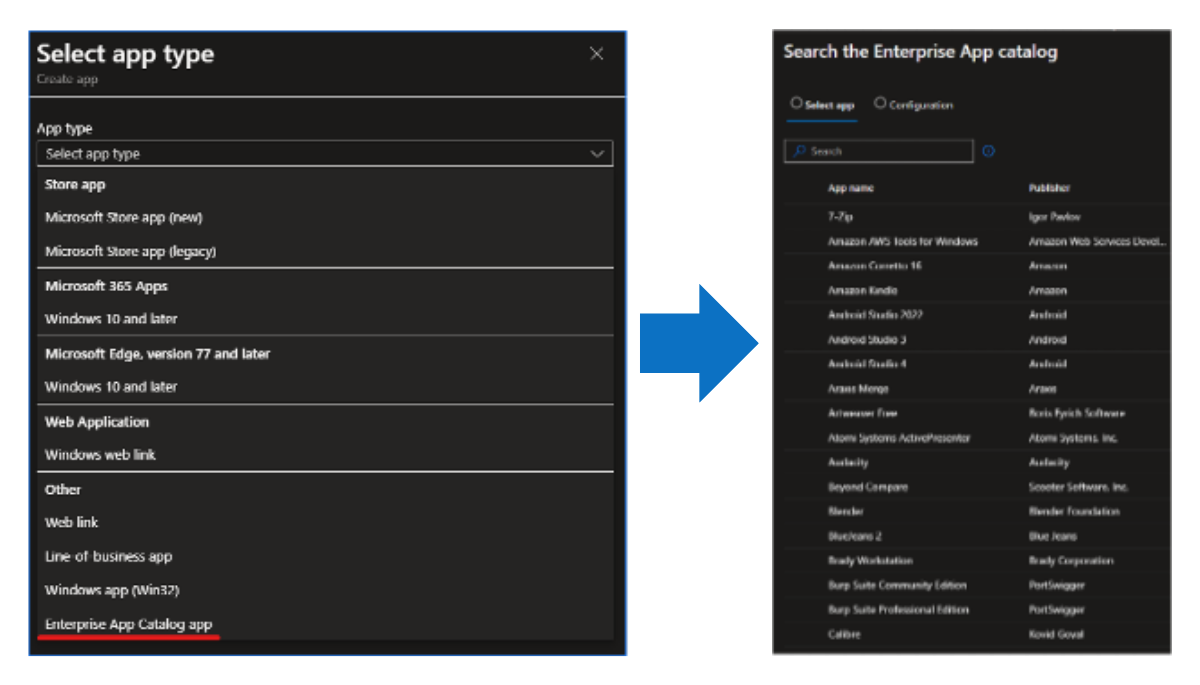
Application packaging, deployment, and maintenance can consume considerable administrative effort. Microsoft Intune Enterprise Application Management helps address this challenge by providing a Microsoft-maintained Win32 application catalog that enables one-click deployment of supported applications:
Modernizing Certificate Services with Cloud PKI
Certificate-based authentication continues to play a central role in enterprise security. Microsoft Cloud PKI introduces a cloud-native public key infrastructure backed by Azure-hosted Hardware Security Modules (HSMs)
The service provides an alternative to traditional on-premises Active Directory Certificate Services (AD CS) environments and is particularly valuable for organizations managing Entra ID-joined and Intune-managed devices.
By moving certificate management to the cloud, you can simplify infrastructure requirements while maintaining secure certificate deployment and lifecycle management for modern workplace scenarios.
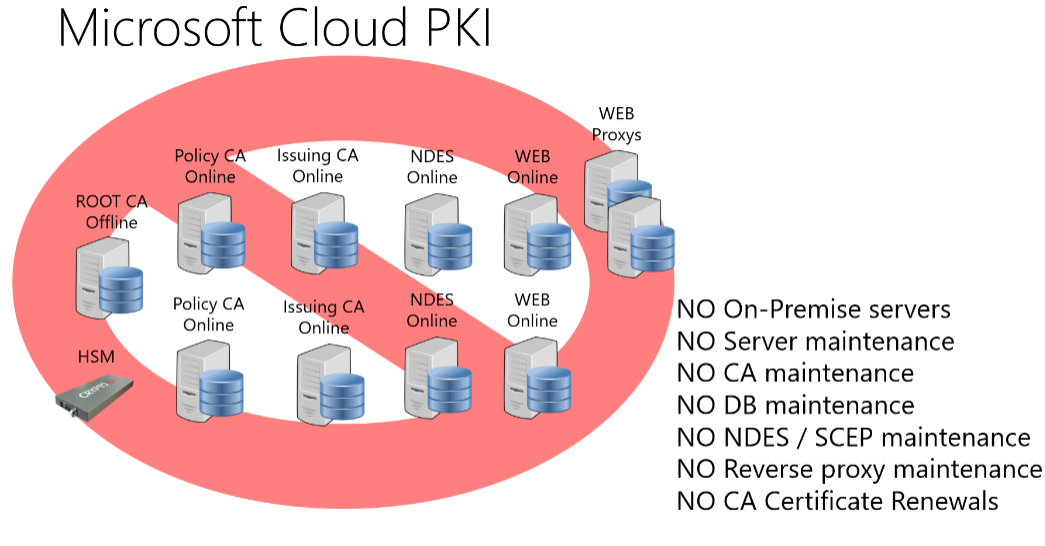
Source: Introduction to Microsoft Cloud PKI – Mr T-Bone´s Blog
Conclusion
The upcoming Microsoft 365 E5 enhancements demonstrate Microsoft’s continued focus on cloud-native management, Zero Trust security principles, and operational efficiency. Features such as Remote Help, Advanced Analytics, Endpoint Privilege Management, Enterprise Application Management, and Cloud PKI provide organizations with new opportunities to strengthen security, simplify endpoint management, and improve the overall user experience.
Interested in exploring how these new Intune capabilities could support your organization? Do not hesitate to contact us at Black Cell, we are happy to help you evaluate, test, and implement the features that best fit your environment!
Author
László Kovács
CLOUD SECURITY ENGINEER
Related Posts

Think Like an Attacker: Spot the Security Risks
Wi-Fi password posted on the wall ("Office-WiFi / Password: Office123!") Unattended laptop left...
The Extension Threat Vector: Protecting Browsers and Dev Environments?
If your organization doesn’t manage extensions and your users can freely install any browser and...
